
AppTag MultiPlayer1.7 - Get APK
You'll be able to download in few seconds.
Publisher Description
AppTag Required to Play: www.apptag.co
************************************************
REAL WORLD DEATHMATCH!
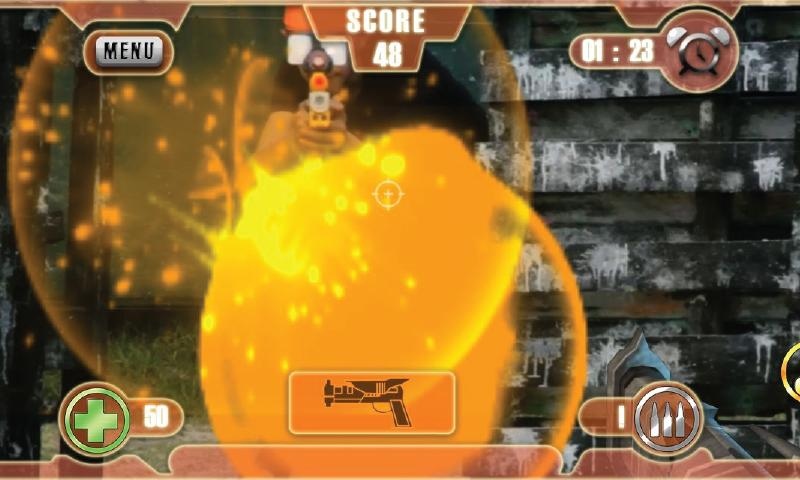
With AppTag your phone becomes an awesome heads up display, showing laser effects and targeting info.
Our game server keeps score, tracks your health, ammo and enemy kills, it even updates your screen in real time.
Real Laser Tag Multiplayer game includes:
# Capture the Flag,
# Deathmatch,
# Tag,
# Team Deathmatch
Games include loads of different weapons, health packs, ammo packs, and power ups!
Tips:
1. make sure all location services, GPS & wifi location are all on, (or games will not appear in the list)
2. calibrate your gyro - or powerups are hard to pick up.
MULTIPLAYER
Laser Tag multiplayer game and battle 1000's of other players in a single real world game! Indoors, Outdoors or Anywhere!
## Incredible Real World LASER TAG with your friends ##
Works with most newer Android Phones and iPhones in mixed games
Keep your case on!
Magically connects to your phone, no syncing, Bluetooth® or wires.
AppTag fits most popular blasters or use the included pistol grip.
Visit www.apptag.co for more info and demo video
=============
CAUTION: Be sure to use a case! Most cases fit in AppTag Device Clamp. HEX3 is not responsible for damage to your smartphone.
CAUTION: Familiarise yourself with your playing area and remove any obstruction before each use. Take frequent breaks during use if necessary. Play with caution in extreme light conditions as screen device screen may be difficult to see.
About AppTag MultiPlayer
The company that develops AppTag MultiPlayer is HEX3 Limited. The latest version released by its developer is 1.7.
To install AppTag MultiPlayer on your Android device, just click the green Continue To App button above to start the installation process. The app is listed on our website since 2013-06-20 and was downloaded 0 times. We have already checked if the download link is safe, however for your own protection we recommend that you scan the downloaded app with your antivirus. Your antivirus may detect the AppTag MultiPlayer as malware as malware if the download link to co.hex3.apptagmultiplayer is broken.
How to install AppTag MultiPlayer on your Android device:
- Click on the Continue To App button on our website. This will redirect you to Google Play.
- Once the AppTag MultiPlayer is shown in the Google Play listing of your Android device, you can start its download and installation. Tap on the Install button located below the search bar and to the right of the app icon.
- A pop-up window with the permissions required by AppTag MultiPlayer will be shown. Click on Accept to continue the process.
- AppTag MultiPlayer will be downloaded onto your device, displaying a progress. Once the download completes, the installation will start and you'll get a notification after the installation is finished.
Program Details
System requirements
Download information
Pricing
Version History
version 1.7
posted on 2013-06-20
Fixed crashes and problems with Nexus devices.,Tips,1. make sure all location services, GPS & wifi location are all on, (or games will not appear in the list),2. calibrate your gyro - or powerups are hard to pick up.
version 1.7
posted on 2013-06-20
Several fixes and updates
Disclaimer
External Download
We do not host AppTag MultiPlayer on our servers. We did not scan it for viruses, adware, spyware or other type of malware. This app is hosted by Galad and passed their terms and conditions to be listed there. We recommend caution when installing it.
The APK Download link for AppTag MultiPlayer is provided to you by apps112.com without any warranties, representations or guarantees of any kind, so access it at your own risk.
If you have questions regarding this particular app contact the publisher directly. For questions about the functionalities of apps112.com contact us.
